
Pay-by-plate parking, on foot
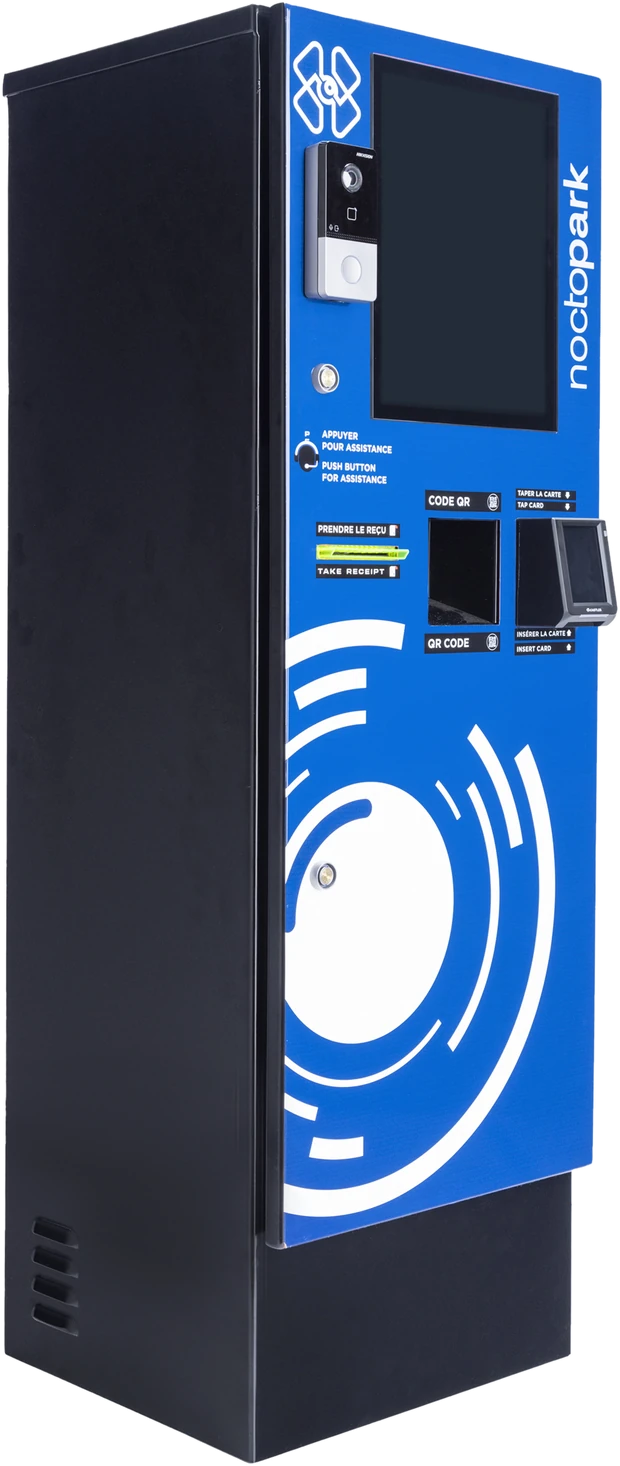
No ticket to feed it. A driver walks up, enters the plate, sees the stay and the fee, and pays by tap, chip, Apple Pay, Google Pay or QR. The session is settled in Core before they reach the car, and the exit lane opens on the plate. A help button puts them through to your team when they need it.
What the station delivers
A parking pay station with nothing to lose
Ticket-based pay stations fail in one predictable way: the ticket. NoctoPark's station asks for the plate instead, so there is nothing to lose, nothing to jam, and no lost-ticket rate to price into the tariff.
Tickets
Enter the plate. That's the whole credential.
Ways to pay
Tap, chip, Apple Pay, Google Pay, QR.
Reconciled
Every payment matched to a plate read, so every stay is accounted for.
Climate builds
One for Canadian winters, one for Middle-East heat.
Payment Station
Three steps, no paper
The station is where the pay-on-foot half of a NoctoPark lot happens. It carries a screen, a card reader for tap and chip, a QR reader for wallet and app payments, a receipt printer for those who want one, and a help button with a camera so your team can see who they're talking to. Two builds: one hardened for Canadian winters, one for Middle-East heat.
Park, pay by plate, leave. The grace period is set in Core, per site.
Specifications on request
Dimensions, power, connectivity, payment-terminal certification and the climate variants are covered with you for your site during the conversation.
What the station settles
The stay, by plate
Fee and tariff
Validations and coupons
Payment method
Grace period start
Where the station goes
Near the pedestrian exit, in the lobby, or at the lane — wherever a driver on foot will pass it.
Lobby and pedestrian exit
Pay before you reach the car; the exit lane opens on the plate.
Surface lots
Outdoors, on an island or a pad, in the build that matches the climate.
Underground garages
By the elevator core, where every driver walks past.
Questions
Frequently asked
What if the driver doesn't remember the plate?
The screen offers a lookup — start typing and the station shows matching plates with a vehicle image from entry, so the driver picks the right car.
Do they need a receipt or an app?
Neither. Payment is tied to the plate. A printed receipt is available on request, and there is nothing to install.
How long do they have to leave after paying?
The grace period you set in Core — typically enough to walk to the car and reach the exit. The exit lane opens on the plate within it.
Who installs it?
A certified NoctoPark partner in your region installs and commissions the station; NoctoPark configures tariffs and validations in Core, activates and supports.
Let's get started
Book your free demo
Tell us about the lot and we will walk through where the station goes and how it settles your tariffs.